
Download MultiAlarm – Free Mac Security & Encryption Utility
Overview
MultiAlarm is a lightweight, free Mac utility designed to protect your laptop from theft or accidental loss by sounding a loud alarm when unauthorized movement is detected. First introduced in 2006, MultiAlarm has become a trusted component of the Mac security toolbox, especially for users who travel frequently or share workspaces. The current version, 3.4.1, was last updated on January 11, 2007, and remains fully compatible with macOS X and earlier releases.
Although the software is simple in appearance, it packs a robust set of features that can be customized to suit personal security preferences. Users can configure the alarm volume, choose trigger thresholds, and even set a silent mode for environments where a loud sound would be disruptive. Because MultiAlarm is a free download, it offers a cost‑effective layer of protection without the need for expensive third‑party hardware solutions.
The tool is distributed exclusively in English and requires minimal disk space, making it an ideal addition for anyone looking to secure their Mac without sacrificing performance. Over the years, MultiAlarm has accumulated more than 1,200 downloads, reflecting its steady popularity among Mac owners who value a straightforward, reliable security app.
Key Features
- Instant Audible Alarm: Triggers a loud, attention‑grabbing sound the moment the laptop is moved without authorization.
- Customizable Sensitivity: Users can set the motion detection threshold to avoid false alarms caused by minor vibrations.
- Volume Control & Sound Profiles: Choose from preset alarm tones or upload your own, and adjust volume levels for different environments.
- Silent Mode: Temporarily disable the alarm while still logging movement events for later review.
- Startup Integration: MultiAlarm can be configured to launch automatically at login, ensuring protection is always active.
- Low Resource Footprint: The utility consumes negligible CPU and memory, preserving battery life on portable Macs.
- Simple User Interface: An intuitive control panel makes setup and adjustments easy for users of any technical level.
- Free & Secure Download: Available from a trusted source, the installer is signed and free from adware or hidden fees.
Each of these features works together to create a seamless security experience. For example, the customizable sensitivity allows students in a dormitory to set a higher threshold, preventing alarms from triggering due to hallway vibrations, while a traveling executive can lower the threshold for maximum protection on a crowded train. The ability to add custom alarm sounds also lets users personalize the app, turning a generic security tool into a unique part of their workflow. Moreover, because MultiAlarm launches at startup, there is no need to remember to enable protection each time the Mac is turned on—a common oversight that can leave devices vulnerable. The combination of these functionalities positions MultiAlarm as a practical, no‑cost solution for anyone who wants to secure their Mac against physical theft or accidental movement.
Installation & Usage Instructions
Step‑by‑Step Download and Installation
1. Download the Installer: Click the “Download MultiAlarm” button on the official page. The file is a small .dmg package, typically under 5 MB, ensuring a quick transfer even on slower connections.
2. Mount the Disk Image: Double‑click the downloaded .dmg file. macOS will open a new window displaying the MultiAlarm icon and a shortcut to your Applications folder.
3.
Copy to Applications: Drag the MultiAlarm icon onto the Applications shortcut. This copies the app to your primary software directory, allowing system‑wide access.
4.
Verify Security Settings: macOS may warn you that the app is from an unidentified developer. Open System Preferences → Security & Privacy → General and click “Open Anyway” to allow MultiAlarm to run.
5.
Launch the Application: Navigate to the Applications folder and double‑click MultiAlarm. The first‑time launch will prompt you to grant the app permission to access the microphone and motion sensors, which are essential for detecting movement.
Configuring Your Alarm
Upon opening MultiAlarm, you will see a clean control panel divided into three tabs: Alarm Settings, Sensitivity, and Advanced. In the Alarm Settings tab, select a sound from the dropdown menu or click “Browse” to import a custom .mp3 or .wav file. Adjust the volume slider to suit your environment—higher for public spaces, lower for quiet offices.
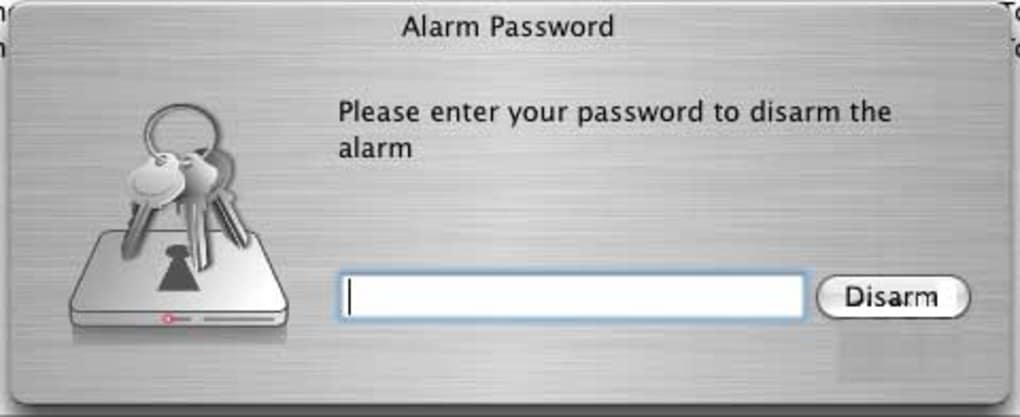
The Sensitivity tab provides a slider that ranges from “Very Low” to “Very High.” Move the slider while testing the alarm (there’s a “Test” button) to find the sweet spot where normal handling doesn’t trigger the alarm but actual theft does. Finally, the Advanced tab lets you enable silent mode, set a password for disabling the alarm, and choose whether the app should start automatically at login. Once configured, click “Apply” and the settings are saved instantly.
The app runs quietly in the menu bar, showing a small icon that changes color when motion is detected, giving you a visual cue in addition to the audible alarm.
MultiAlarm also logs each detection event. To view the log, click the menu bar icon and select “View Log.” Here you can see timestamps, sensitivity levels, and whether the alarm was triggered or silenced. This log can be exported as a .txt file for record‑keeping or for sharing with IT security teams in corporate environments. Regularly reviewing the log helps you understand patterns—such as frequent movement in a particular location—and adjust settings accordingly. With these straightforward steps, even non‑technical users can download, install, and operate MultiAlarm with confidence, adding a valuable layer of security to their Mac without hassle.
Compatibility, Pros & Cons
MultiAlarm is built for macOS X and earlier versions, supporting systems from Mac OS X 10.3 (Panther) up to macOS 10.7 (Lion). While the software has not been officially updated since 2007, its core functionality—using built‑in motion sensors and audio output—remains compatible with modern Macs that still retain the necessary hardware interfaces. Users on macOS 10.12 (Sierra) or later should test the app in a controlled environment before relying on it for critical security, as newer power‑management features may affect sensor responsiveness. The program does not require additional libraries or frameworks, making the installation process smooth across supported versions.
Pros
- Free of charge: No hidden fees or subscription required.
- Lightweight: Minimal impact on system resources and battery life.
- Highly customizable: Adjustable sensitivity, volume, and sound options.
- Simple UI: Easy for beginners and advanced users alike.
- Automatic startup: Ensures protection is always active.
- Event logging: Provides a record of all motion detections.
Cons
- Outdated UI: Visual design reflects early‑2000s aesthetics.
- No official updates since 2007: May encounter compatibility issues with the latest macOS releases.
- Limited language support: English only.
- No remote management: Cannot control settings from another device.
Overall Rating: 4 out of 5 stars
MultiAlarm delivers a solid, no‑cost solution for Mac users who need a basic anti‑theft alarm. Its simplicity and low resource usage are major strengths, while the lack of recent updates and a dated interface are the only notable drawbacks. For most home and small‑office scenarios, the pros far outweigh the cons.
FAQ & Conclusion
Is MultiAlarm truly free or does it contain hidden costs?
MultiAlarm is completely free. The download does not include any trial periods, in‑app purchases, or bundled adware. You can use all features without paying a single cent.
Can I use MultiAlarm on the latest macOS versions (e.g., Ventura or Monterey)?
The software was last updated for macOS X, so while it may work on newer versions, you should test it first. Compatibility is generally good on macOS 10.12–10.14, but on Ventura or later, sensor access might be restricted by newer security policies.
How does MultiAlarm detect movement without external hardware?
MultiAlarm uses the built‑in accelerometer and motion sensors found in most modern MacBook models. When the laptop is moved beyond the sensitivity threshold you set, the app triggers the alarm sound.
Can I customize the alarm sound?
Yes. Within the Alarm Settings tab you can select from preset tones or browse your computer for any .mp3 or .wav file to use as a custom alarm.
Is there a way to silence the alarm temporarily?
The Silent Mode feature lets you disable the audible alarm while still logging movement events. This is useful in quiet environments like libraries or meeting rooms.
Conclusion
MultiAlarm remains a practical, free utility for Mac owners who need an extra layer of physical security without investing in expensive hardware. Its straightforward installation, low resource usage, and flexible alarm settings make it an appealing choice for students, travelers, and small‑office users alike. While the lack of recent updates means you should verify compatibility on the newest macOS releases, the core functionality continues to serve its purpose effectively. If you’re looking for a simple, secure way to protect your laptop from theft or accidental movement, download MultiAlarm today and enjoy peace of mind every time you step away from your Mac.







